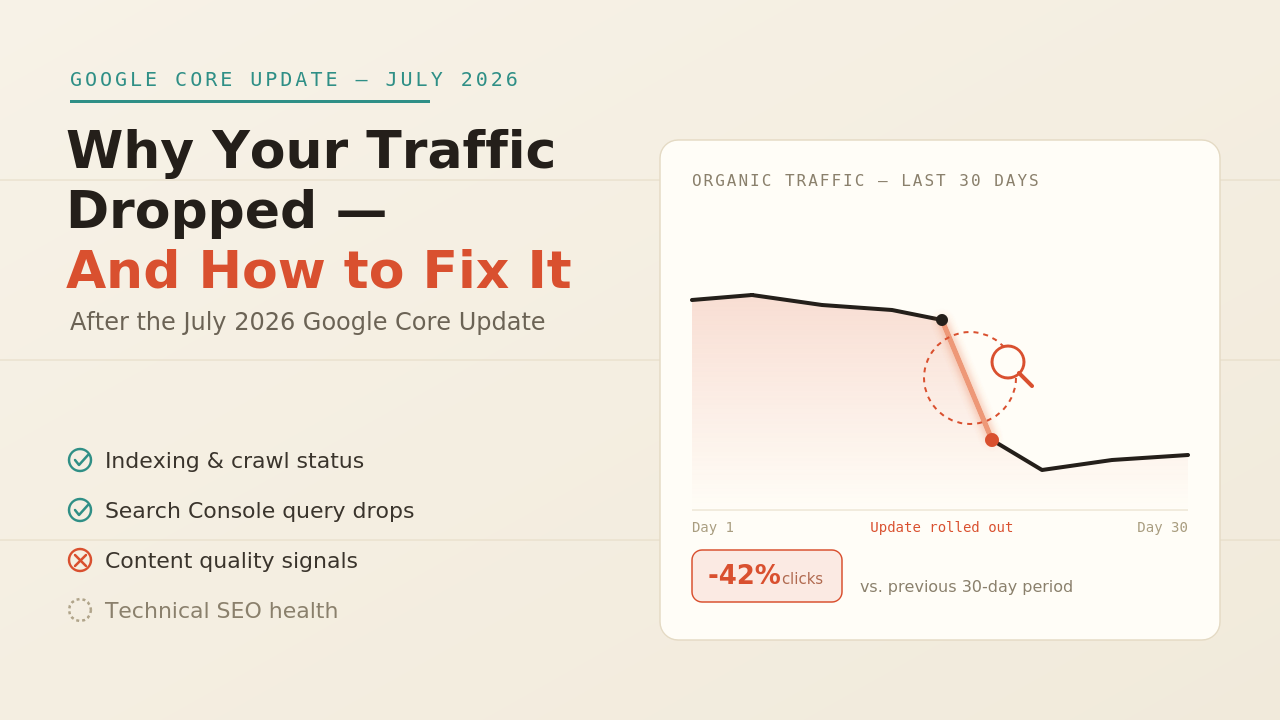
If you have noticed your organic traffic dropping this month, you are not alone. Many SEO professionals began reporting unusual ranking fluctuations around July 11–12, 2026, with discussions appearing across industry forums like SERoundtable. While Google has not officially confirmed a core update, the level of volatility suggests something significant is happening.
The important thing to remember is this: a traffic drop does not automatically mean you have been hit by a Google update. Traffic can decline for many reasons, and making rushed changes without identifying the real cause often does more harm than good.
Use this checklist to diagnose the problem before taking action
Step 1: Make sure it is actually an Algorithm Update
Before changing your website, eliminate the most common non-algorithm causes.
Check for seasonal demand
Some industries naturally experience lower search demand during July. Compare your primary keywords in Google Trends to see whether search interest has declined.
Look for technical issues
A recent website deployment, robots.txt changes, incorrect canonical tags, indexing problems, or Search Console reporting issues can all create the appearance of a ranking loss.
Review SERP changes
Sometimes your rankings have not changed at all, but the search results have. AI Overviews, expanded People Also Ask sections, video carousels, or other SERP features may now be pushing your listing further down the page, resulting in fewer clicks.
Only after ruling out these possibilities should you assume the issue is algorithm-related.
Step 2: Analyze Google Search Console
Open Google Search Console and compare the 14 days before and after July 11–12.
Focus on three key metrics:
- Impressions
- Clicks
- Average Position
Here’s what the data usually tells you:
- Impressions and average position both decline: You may have genuinely lost rankings, which often points to a quality reassessment.
- Impressions stay similar but clicks fall: Your rankings remain stable, but new SERP features are attracting the clicks instead.
- Only certain pages lose traffic: This usually indicates page-level content or technical issues rather than a site-wide algorithm impact.
Don’t stop at the overall website view. Segment your data by landing page and search query. Sometimes only specific sections—especially health, finance, legal, or other YMYL content—are affected.
Step 3: Check Your AI Overview Visibility
One reason many sites are losing traffic today isn’t lower rankings—it’s losing visibility inside Google’s AI Overviews.
Search your highest-performing keywords manually using an incognito browser and check:
- Does the search now display an AI Overview?
- Is your website still referenced as a source?
- If not, which competitor replaced you?
- What makes their content stronger? More up-to-date information? Better explanations? Clear author credentials?
Losing an AI Overview citation isn’t the same as receiving a penalty. Think of it more like losing a featured snippet—it’s often something you can earn back by improving your content.
Step 4: Review Your E-E-A-T Signals
Google continues placing greater emphasis on Experience, Expertise, Authoritativeness, and Trust (E-E-A-T), especially for YMYL content.
For every page that lost traffic, ask yourself:
- Does the page have a real author with a detailed biography?
- Is there a visible “Last Updated” date?
- Are important claims backed by reliable sources?
- Are your About, Contact, Privacy Policy, and other trust pages complete and easy to find?
- Is your website fully secured with HTTPS?
Pages with anonymous authors or outdated information are increasingly struggling to compete, even when the writing itself is good.
Step 5: Review Google’s Spam Policies
Google’s spam policies now include attempts to manipulate AI-generated search experiences.
If your website relies heavily on:
- Mass-produced AI content
- Minimal editorial review
- Low-value pages created primarily for search engines
- Content designed to game AI citations
then it’s worth reviewing your content strategy. AI can accelerate content production, but every page should still provide genuine value and be reviewed by a human editor.
Step 6: Don’t Rush Into Major Changes
Ranking volatility during an update rollout is completely normal.
Many fluctuations settle within one to three weeks, so avoid making large-scale edits while rankings are still moving.
Instead:
- Monitor your data.
- Wait for rankings to stabilize.
- Compare your final performance against your pre-update baseline.
- Then decide whether improvements are necessary.
Patience often prevents unnecessary changes.
Recovery Action Plan
Once you’ve identified the cause, prioritize your fixes in this order:
- Resolve any technical issues first.
- Improve author information and trust signals, especially for YMYL pages.
- Rewrite key content using clear question-and-answer sections that AI systems can easily understand.
- Add original research, statistics, examples, expert insights, or unique experiences instead of relying on generic information.
- Review your performance again after 4–6 weeks, as quality improvements usually take time to be reflected in search results.
Final Thoughts
A drop in traffic during July 2026 doesn’t automatically mean you’ve been penalized by Google.
In many cases, the cause is seasonal demand, technical issues, or changing search results—particularly the growing influence of AI Overviews. The smartest response isn’t to panic or rewrite everything overnight.
Start by identifying exactly what’s changed, page by page. Once you know the real cause, you can make targeted improvements that have a much better chance of restoring your visibility.


About The Author